open source · LAN/VPN by design · no cloud

Anywhere,
the same terminal

Ternimal mirrors your desktop terminal to any browser on your network. Scan a QR code and your phone is attached to the exact tabs that are already running — with the scrollback, the agent, and the half-finished command. 同一会话,随处可达 —— 扫码即达,断线不亡。

↓ this terminal is real — click it and type. it mirrors. help works.

ternimal — desktop · electron
browser · phone

both screens show one PTY — what you type lands in both, exactly how your real devices attach at home

~/why-not-ssh

The session you can't reach

Every existing answer to “check on my terminal from the couch” gives you a different terminal than the one you left running.

$ ssh into the desktop

A brand-new session. Your agent, your scrollback, your tabs — invisible.

$ tmux attach

Works — with ceremony. If it started in tmux. If you configured it. On every box.

$ stay at the desk

It's a 40-minute build. You've seen this episode.

$ ternimal

The session you already have, on the screen you're holding. Same PTY, zero setup.

~/features

One session, every screen

Everything below is captured from a real session — no mockups.
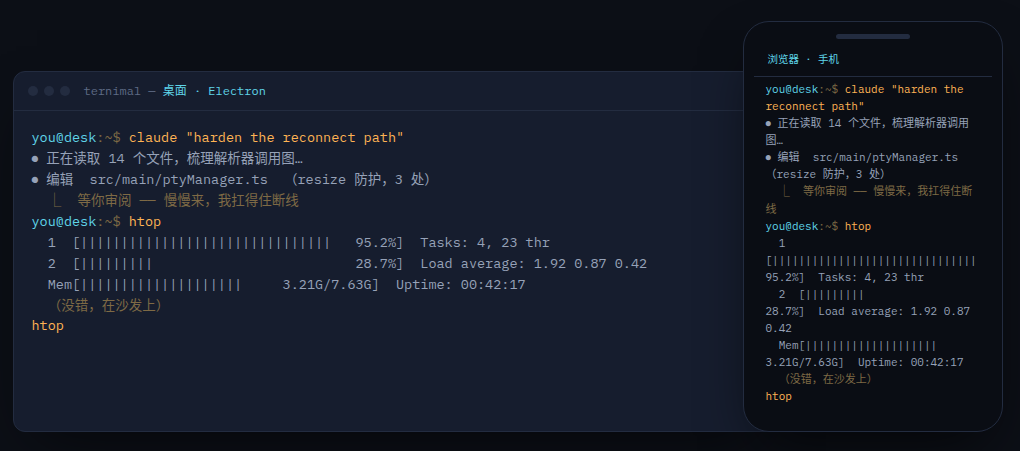
Desktop window and phone browser showing the same live terminal session

01Mirrored sessions

The desktop window and any LAN browser attach to the same PTYs over HTTPS. Refresh, lose Wi-Fi, close the laptop — the session lives on, and a ring buffer replays what you missed on re-attach.
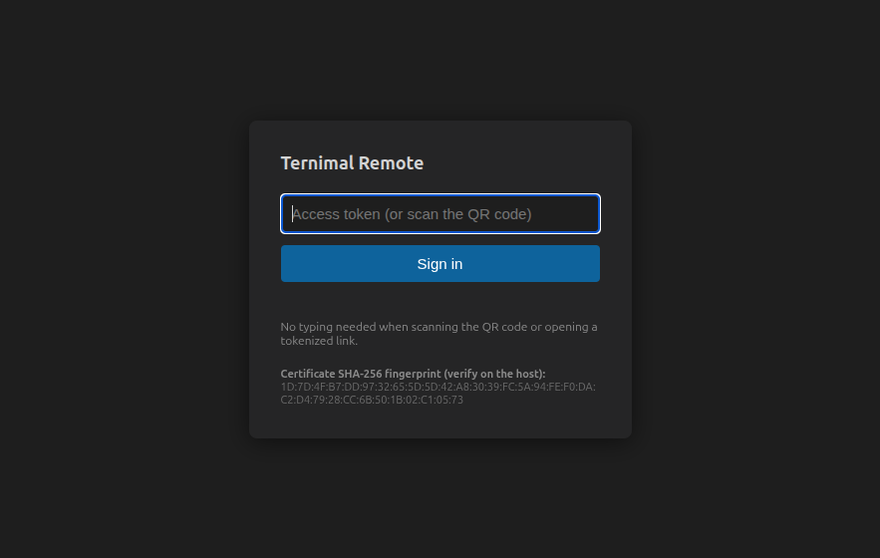
Sign-in page showing the certificate SHA-256 fingerprint

02Scan once, you're in

A per-launch 192-bit token rides in the URL fragment — it never reaches the server and never lands in a log. The tray QR gets you in; rotating the token kills every session instantly. The TLS fingerprint is printed on both ends so you can eyeball for MITM.
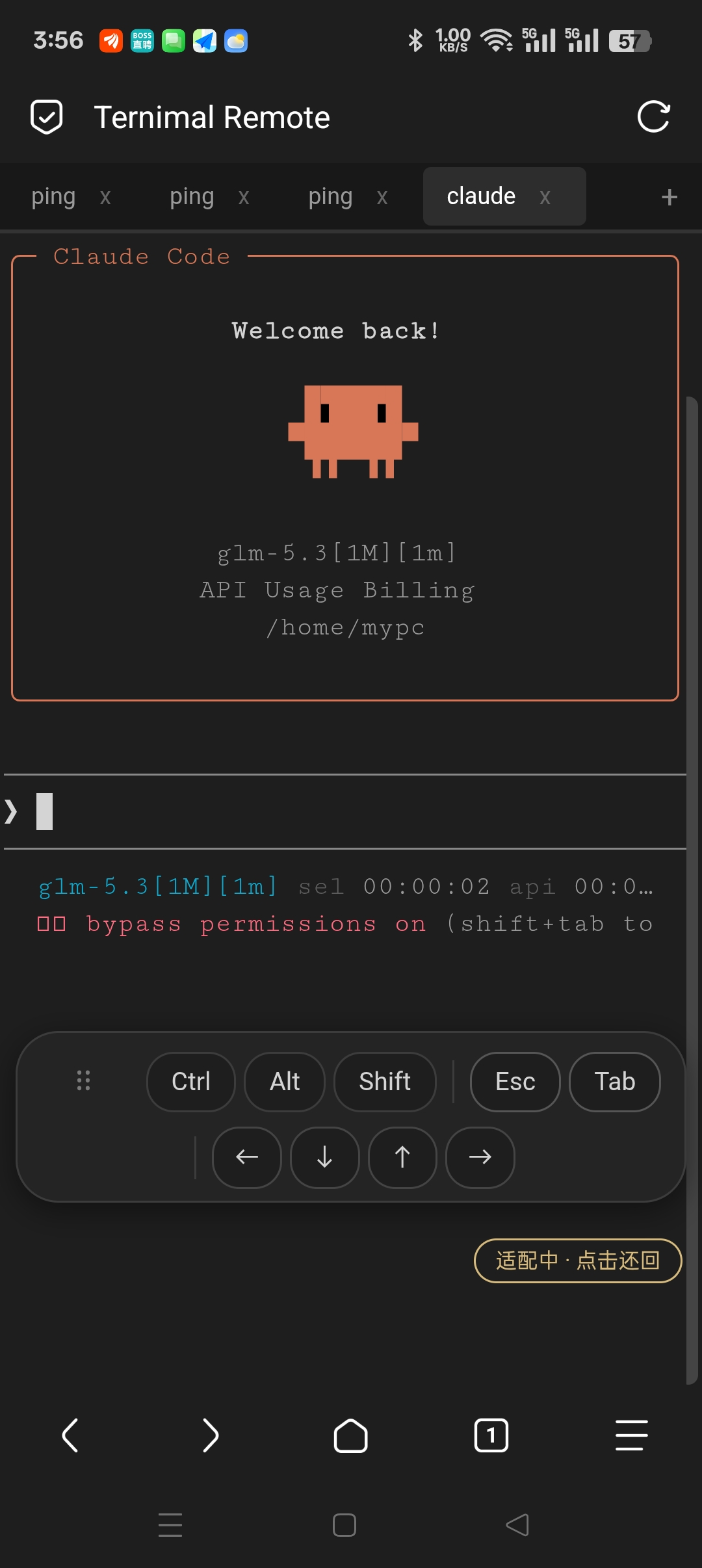
Phone view with the floating soft-keyboard bar, Ctrl held sticky

03A keyboard that speaks terminal

Sticky Ctrl/Alt/Shift — stack them, one-shot them — plus Esc, Tab and arrows that follow the terminal's cursor mode. Ctrl+C, readline jumps and vim motion all work from a phone.
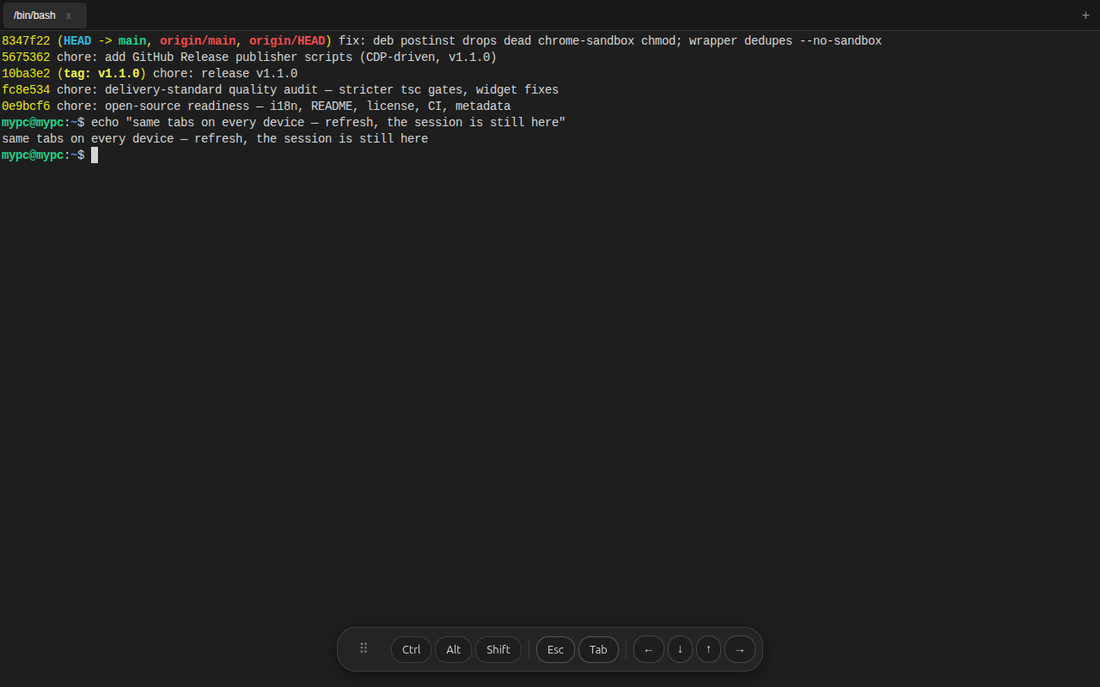
The same terminal tabs in a desktop browser

04Zero client install

Remote access is a plain HTTPS page — nothing to install on the watching device. Tabs stay in lockstep between the Electron window and every attached browser.

~/use-cases

Built for the walk-away moments

>_

Agent supervision

Claude Code runs on the desktop. You supervise from the couch — check in, send the next prompt, Ctrl+C the runaway.

&

Mobile ops

Start the migration at your desk, confirm it from the kitchen. Any device on the LAN, nothing exposed past it.

%

LAN pairing

A colleague opens the link and watches the same live session you're driving. No screen-share, no cloud relay.

~

Flaky-network CLI

Subway Wi-Fi dies, the phone sleeps — the session doesn't. Reconnect and the replay fills in every line you missed.

~/compare

What “remote” should mean

Attach to the session on your screen Client install Sessions survive Mobile combo keys Cloud dependency
Ternimal✓ that's the pointbrowser onlybuilt-in (replay)sticky Ctrl/Alt/Shiftnone
SSH from phone✗ new sessionclient + keysdies with connectionvariesnone
tmux + SSHneeds tmux disciplineclient + keysvia tmuxvariesnone
ttyd / wetty / gotty✗ per connectbrowser✗✗none
tunnel + web terminal✗browservaries✗yes

~/security

[!]

This serves a shell over the network. On purpose.

That's the feature and the risk, so the boundary is designed in: HTTPS only, one rotating token per launch (constant-time compare, carried in the URL fragment), certificate fingerprints printed on both ends, per-IP lockout, hardened cookies — and auth lives in memory, so a restart revokes everything.

Keep it on the LAN or behind your VPN. Do not port-forward it to the internet.

Need it from beyond your network? The zero-knowledge relay goes there without exposing your machine.

~/install

Two ways in

a. Download the package

Linux AppImage and deb are on every release page:

$ sudo apt install ./ternimal_1.1.0_amd64.deb
→ releases ↓

b. Run from source

$ git clone https://github.com/eathard/vscode-ternimal
$ npm install --include=dev && npm run rebuild
$ npm run dev

First launch prints the access URL and drops a QR code in the tray.